
Checkup 1.0.7 · User guide
Finalize a station
Reviewed
End an active station session when it needs to be released for another operator.
Choose the right way to finish
If you are in your own active session, complete the device work and use Exit station. To end a session from the Stations list, use Finalize station.
Ending a session stops ongoing processing. Incomplete tests can be marked Failed or Skipped. Coordinate with the current operator first and review unfinished devices before continuing.
Finalize from the Stations list
- Open Processing → Stations.
- Find the station that is in use and confirm its name and operator.
- Open its three-dot menu.
- Choose Finalize station.
- Read the interruption notice.
- If the station has a linked Agent, obtain the code generated on that Agent and enter it in the dialog.
- Choose Finalize.
- Reload Stations and check that the active session has ended before initializing it again.
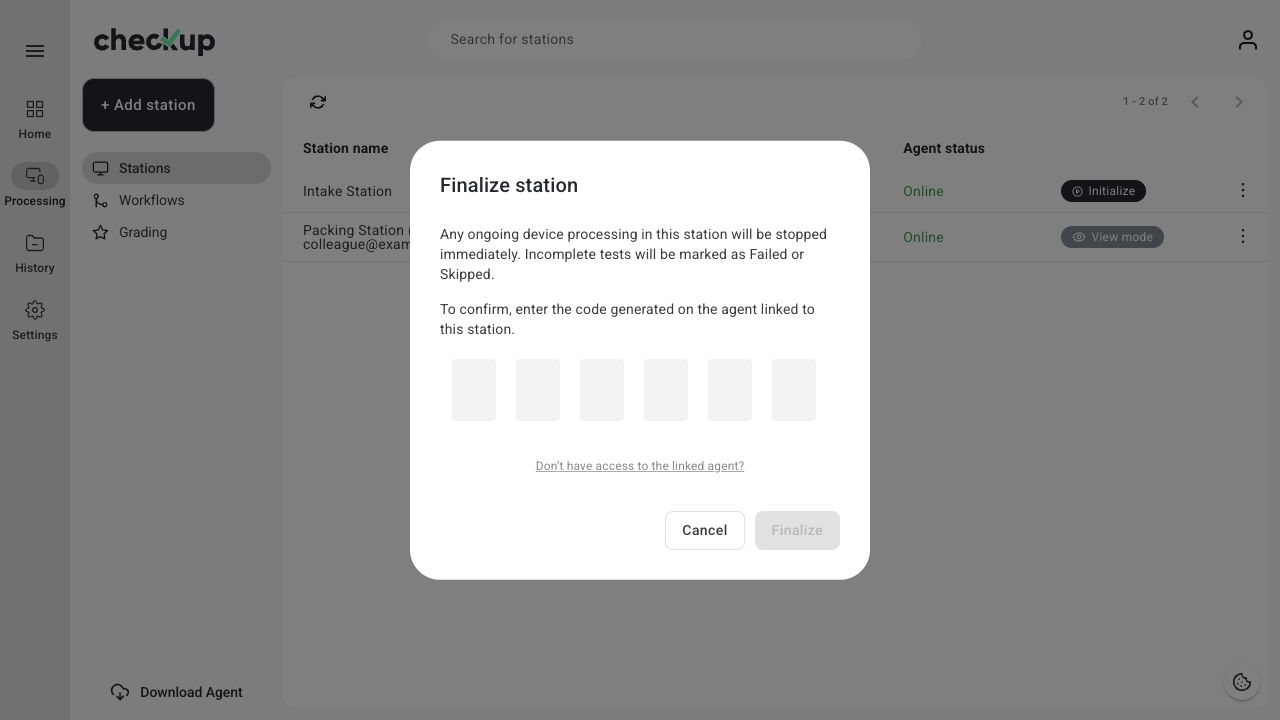
The Finalize button remains unavailable until the required code is complete. If the code is rejected, verify it against the Agent linked to that specific station and try again.
Exit your own session
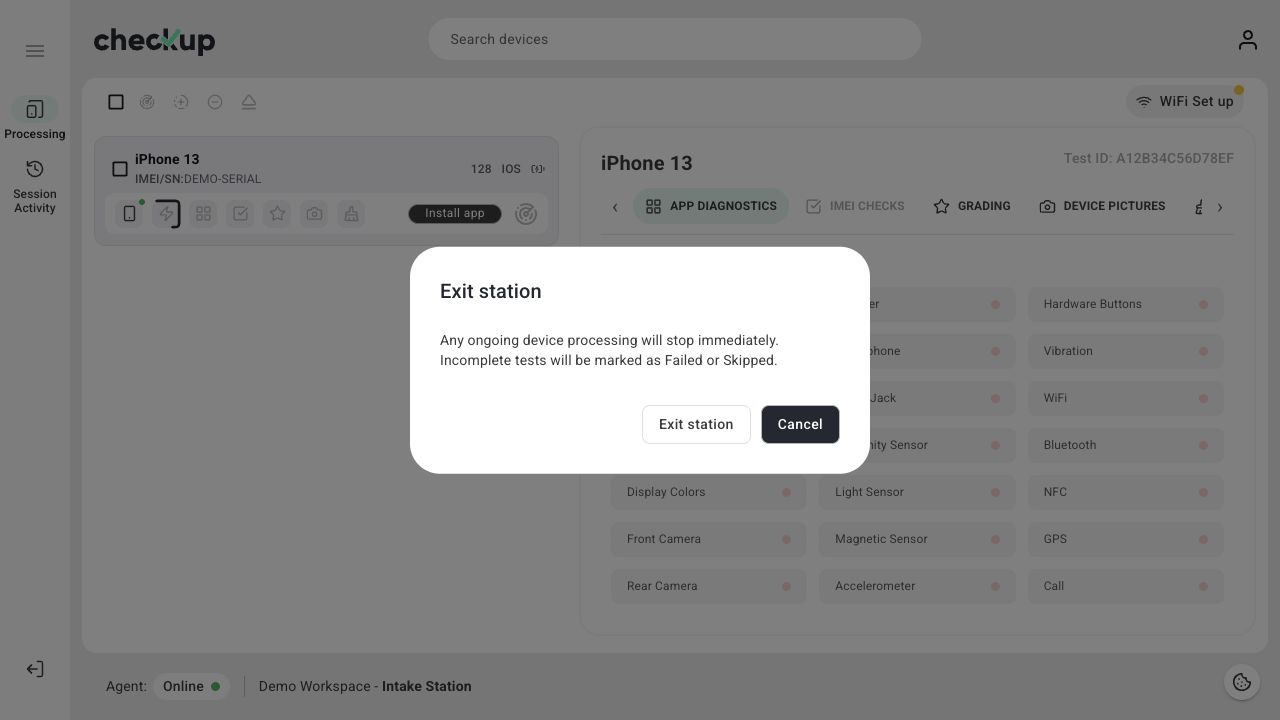
Use Exit station in the left navigation of the processing screen. Read the confirmation and choose Cancel if any device still needs attention. Choose Exit station only when you are ready to stop the session.
If you cannot access the linked Agent
Use Don’t have access to the linked agent? in the finalization dialog for the help route. A workspace user with the appropriate access can open Settings → Plan & Agents, find the computer in Linked agents, and choose Unlink. Review and confirm the unlink action only after checking with the operator.
Unlinking changes the station’s Agent connection and can interrupt processing. Afterward, link the intended computer again using Connect Checkup Agent to a station.
After finalizing
Review the affected test records in History. If you changed a workflow, initialize a new session before processing more devices so the new configuration is used.
Screens show the Checkup interface with sample data. Names and results in your workspace will differ.