
Checkup 1.0.7 · User guide
Set up your profile
Reviewed
Personalize your name, photo, display language, and timezone.
Open My Profile
- Sign in to Checkup.
- Open the account menu in the top-right corner.
- Choose Manage your profile to open My Profile.
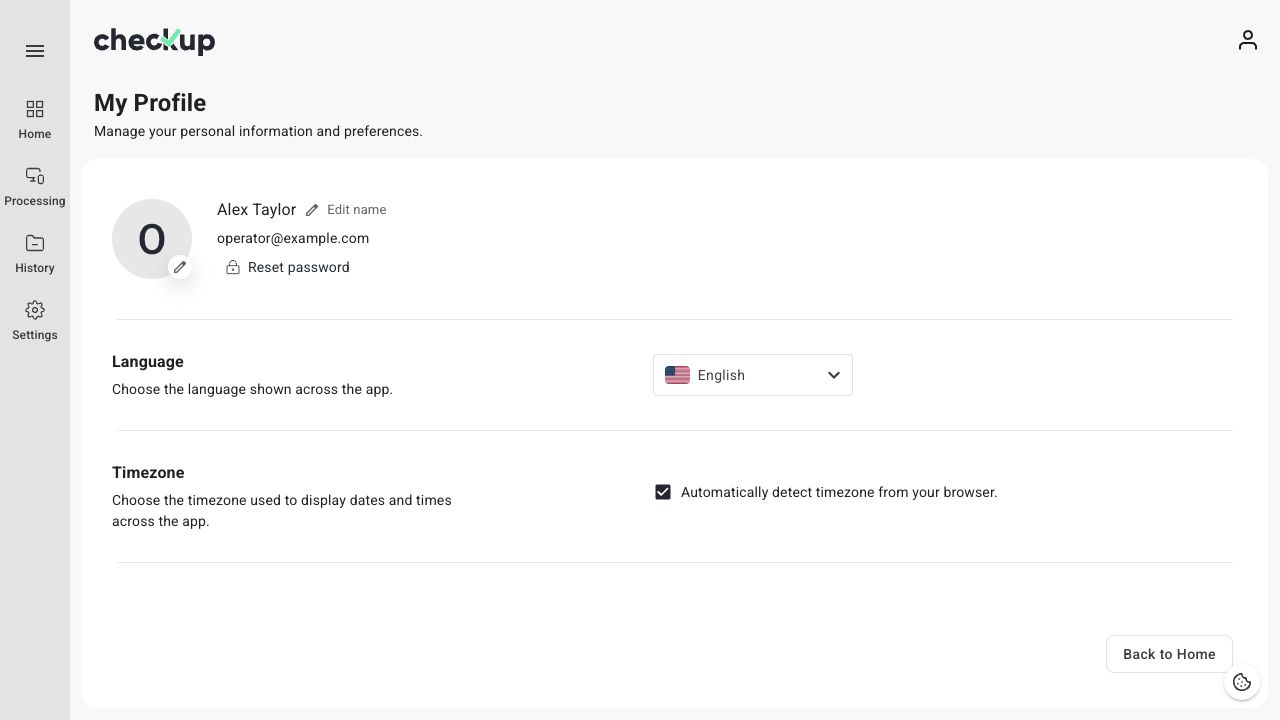
Change your name
- Choose Edit name.
- Enter your First name and Last name.
- Choose Save and wait for the saved confirmation.
Your updated name appears on your profile. Both name fields must contain a value.
Add or change your photo
- Select the edit control beside your profile image.
- Choose a photo, or drag a supported image into the upload area.
- Adjust the preview and confirm your selection.
- Wait for the upload to finish and check the updated image on your profile.
Change the interface language
Open Language and choose the language you want to see in Checkup. The interface updates when you select it. This is separate from the language used for downloaded reports; configure that in Export settings.
Set the timezone for dates and times
Leave Automatically detect timezone from your browser enabled to use your browser’s timezone. To use a specific timezone:
- Turn off automatic detection.
- Open the timezone selector.
- Search for and select the appropriate timezone.
- Wait for the saved confirmation.
Check the displayed time in History after changing this preference. Timezone affects the display of dates and times; it does not move device records to another workspace.
If a change does not save
Keep the page open, check your connection, and try again. If your profile fails to load, reload it before editing. A pending change or an error message should not be treated as a completed save.
Screens show the Checkup interface with sample data. Names and results in your workspace will differ.